Coding Calculator1.1.3
Publisher Description
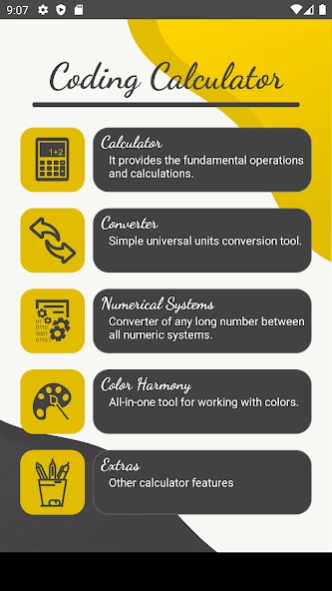
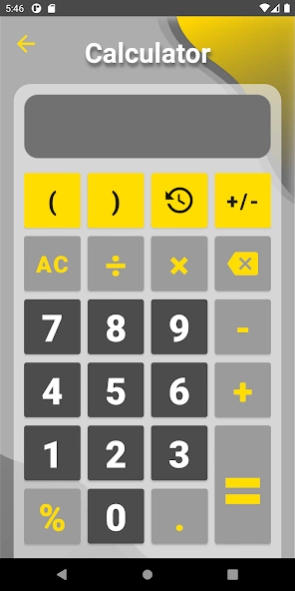
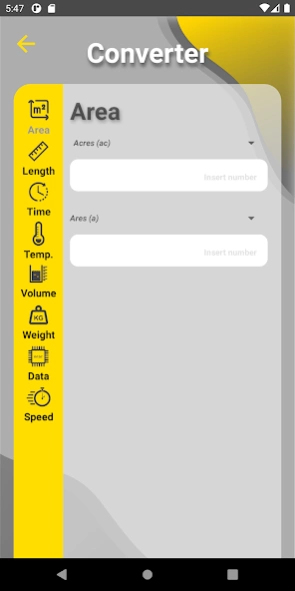
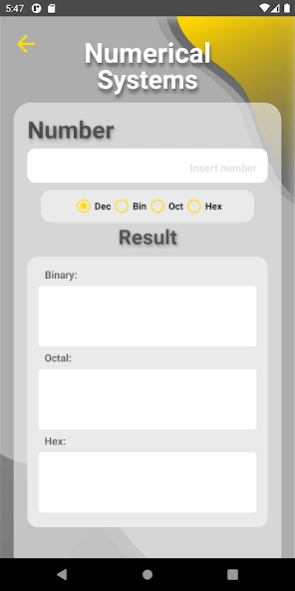
Perform different features with this tool, ideal for designers and IT.
Perform different features with this coding calculator tool, ideal for designers and IT, and for your everyday use.
A calculator app with a clean interface and practical functions.
Main features:
💠 Calculator: provides the fundamental operations and calculations.
💠 Converter: an easy tool to convert universal units conversion:
✓ Area
✓ Length
✓ Time
✓ Temperature
✓ Volume
✓ Weight
✓ Data
✓ Speed
💠 Numerical Systems: converter of any long number between the main numeric systems:
✓ Binary
✓ Octal
✓ Decimal
✓ Hexadecimal
💠 Color Harmony: an ideal tool to calculate all harmonic colors:
✓ Complementary
✓ Split
✓ Analogue
✓ Triadic
✓ Tetradic
💠 Extra features:
✓ Average: a simple tool to calculate the average of multiple numbers.
✓ Exponent: a tool to calculate the result of the exponent x of a number n.
✓ Percentage: use this tool to calculate percent value and percentage, and decrease/increase value.
✓ Nth root: simple nth root calculator.
✓ Rule of three: it calculates ratios that are proportional to each other, using direct and inverse modes.
About Coding Calculator
The company that develops Coding Calculator is Jorge Soto Ramos. The latest version released by its developer is 1.1.3.
To install Coding Calculator on your Android device, just click the green Continue To App button above to start the installation process. The app is listed on our website since 2021-03-26 and was downloaded 8 times. We have already checked if the download link is safe, however for your own protection we recommend that you scan the downloaded app with your antivirus. Your antivirus may detect the Coding Calculator as malware as malware if the download link to com.just_jump.coding_calculator is broken.
How to install Coding Calculator on your Android device:
- Click on the Continue To App button on our website. This will redirect you to Google Play.
- Once the Coding Calculator is shown in the Google Play listing of your Android device, you can start its download and installation. Tap on the Install button located below the search bar and to the right of the app icon.
- A pop-up window with the permissions required by Coding Calculator will be shown. Click on Accept to continue the process.
- Coding Calculator will be downloaded onto your device, displaying a progress. Once the download completes, the installation will start and you'll get a notification after the installation is finished.
Program Details
System requirements
Download information
Pricing
Version History
version 1.1.3
posted on 2021-03-26
some bugs have been fixed
version 1.1.1
posted on 2021-03-23
Some bugs have been fixed in some functionalities
version 1.1.0
posted on 2021-02-23
The graphic interface of the application has been modified to offer a more enjoyable and intuitive experience for the user. In addition, two new extra functions have been added: square root and Nth root; and the new functionality of the cursor in the calculator.
version 1.0.5
posted on 2021-01-28
New tools have been added to the app, such as the option of being able to calculate the exponent, in addition to bug fixes, and new small tools have been incorporated to ease the use of some functionality.
version 1.0.4
posted on 2020-12-09
Few bugs in the calculator module have been corrected, and the microgram converter has been added to the weight, in the converter module.
